Showing posts with label Minecraft. Show all posts

Wednesday, March 2, 2016

Minecraft 1.9

So, the fabled "Combat Update" is finally out.  Weapons now have a cooldown, which is supposed to make combat more "strategic" by forcing you to time your strikes.  Well, they're already wrong.  A cooldown doesn't force you to time your strikes.  All a cooldown does is make you have to run around like a ninny during combat.

Anyway, I downloaded the update, made a fresh world, and hopped in.  Getting started is still the same basic sequence of "punch trees, make crafting table and wood pickaxe, mine stone, make stone pickaxe, mine more stone, make stone tools, look for coal, build shelter".

The shield is a critical part of combat in 1.9, using it properly negates basically all incoming damage.  I looked up the recipe and it's pretty simple.  6 wood planks in a Y shape, with a single iron ingot in the middle of the top row.  Then to use it to block, you hold right click.

Therein lies the problem, though.  You're telling me that my shield is absolutely no good against incoming attacks unless I'm holding right click?  Get out of here.  Blocking with the shield also slows you to a crawl, which is similarly illogical.  Oh and guess what?  It also prevents you from swinging the weapon in your other hand.  Because THAT makes sense.  Why do I have two hands if I can't do things with both of them at the same time?

Okay, so I'm caving like usual, having found iron and made a shield.  Another vein of iron later and I've got a chestpiece.  Not much interaction with the enemies thus far, so I'm feeling pretty good.  I get to the bottom of a hole in the ground and see two zombies.  Okay, let's go.  Strike the first one, wait for it... eventually the sword comes back up.  Dunno if anyone told you, Mojang, but swords, especially one-handed ones, are fast-striking weapons.  Anyway.  In the meantime, the second zombie has gotten closer.  I swing again and hit the second one.  Now the first one is closer and my attack is still recharging.  Boop!  I take damage.  I repeat this process, noting that taking damage during combat seems to be unavoidable now.  I kill one of the zombies but the other gets me during my recharge.

Ugh.

Thankfully, I'd had the foresight to run /gamerule keepInventory true before I started.  As far as I'm concerned, that should be a standard feature instead of a "cheat".  I don't find having to run back to where I died, pick up all my shit, and frantically sort through it while the enemy that killed me is still around and trying to kill me to be a very fun activity.

Anyway, since I didn't have to sort through all my shit, I ran back there.  Now there's two skeletons and a witch as well as the partially damaged zombie.  I take out the zombie fairly easily, and luckily one of the two skeletons shot the other while trying to shoot me, so they started fighting each other.  The witch hits me with poison straight away (I thought they were supposed to drink a speed potion and throw slowness first...), and I start smacking her with my sword as often as the recharge speed allows.  As this is happening, the poison is draining my health, and she's drinking health potions.  A quick splash potion of harming finishes me off.

I try again, and of course the witch is still alive.  A creeper and some more skeletons have shown up.  Note that I haven't made any progress in this cave beyond this point, and it's a rather enclosed area with no room to move around whatsoever.  If you infer based on the story above that I died again, you'd be correct.

This would begin a cycle of running back there, trying to make progress, and dying without making any progress, that repeated every minute or so.  Eventually I gave up trying to have fun and quit the game.

Yeah, let me reiterate: This isn't fun.  How could anyone possibly find PvE in this update to be fun?  It's just tedious, and I've already ranted about the difference between tedium and challenge.

So, bulleted list of things I've noticed about 1.9:
  • It isn't fun.
  • The early game is much, much harder for absolutely no reason.
  • If you're beset upon by more than one enemy at a time, you're fucked.
  • Wielding a shield in one hand apparently prevents me from swinging a sword in the other hand, and also makes me move ridiculously slowly.
  • Combat is only feasible in wide-open areas with room to run around.
  • Having a shield in my hand isn't enough to actually use it, even though it's in front of my player character.
  • If I get my shield up before an incoming attack hits, but not quickly enough before that attack hits, I still take damage.
  • Getting lucky and having a source of mid-to-high saturation food nearby while you're getting started is critical.  If you generate a world and don't see cows or pigs immediately, delete it and start over.
  • Dying every minute or so isn't fun.
  • It isn't fun.
So there you have it.  The last good version of Minecraft is 1.8.9.

Saturday, May 31, 2014

Getting Back to Bravely Default

So I took a rather long break from the story for a variety of reasons, which I shall attempt to explain briefly.
  • Grinding Norende completion
  • Grinding job levels to fight Nemeses, indirectly resulting in overlevelling my party
  • Updating my data to get more Nemeses, in hopes of getting the elusive Japanese Elixir Mammon
  • Swapping out the cartridge for Chrono Trigger after updating and grinding tech points in that
  • Letting Norende give me gifts
  • Eventually getting the elusive Japanese Elixir Mammon, and stealing enough Elixirs to buy the most expensive Norende stuff (all the costumes and a Growth Egg), then stealing an entire stack of 99 Elixirs to use as income since the Growth Egg prevents you from getting money from battles
Today I finally resumed the story.  I was in Florem looking for the Water Vestal.  BTW, going off of the Japanese audio, the word "Vestal" seems to be used as a translation for the Japanese word "miko", because the Wind Vestal is "kaze no miko" and the Water Vestal is "mizu no miko".  Advanced that a bit and noticed the blue sidequest bubbles starting to pop up, so I went and did all of those, which resulted in me getting the Ranger, Summoner, Valkyrie, and Red Mage jobs.  Then kurtjmac decided to stream some more work on building the Wilson Hall building from FermiLab on the MindCrack server, so I saved and watched that.  The stream actually started while I was doing the stupid Red Mage side quest, which requires you to enter Florem at night several times in a row, so I just had the stream audio turned down until I finished it.  Regardless, I now have the location of the Water Vestal and everything involving her will happen next time.

Level 53 in Chapter 2 is definitely overlevelled, you think?  It's actually kind of pointless to level grind so close to the beginning of the game since rewards go up by a significant amount from one chapter to the next, but...  I wanted those Norende items and the Japanese Elixir Mammon.  In terms of grinding, I'm probably not going to do any more job grinding for a while, since my current party combination (Tiz: Black Mage/Freelancer, Agnes: White Mage/Black Mage, Ringabel: Black Mage/variable, Edea: Black Mage/variable) works pretty well, and I've got several levels of each sitting there being pointless because I haven't yet gotten to the vendor that sells the necessary spell scrolls.  My party before all the Nemesis fights was Monk/Freelancer, White Mage/Black Mage, Black Mage/variable, and Spell Fencer/variable.  I haven't really settled on secondary jobs for Ringabel and Edea yet.

Ranger looks interesting and I'll have to give it a shot when I get a chance, pun intended.  I hope bows don't suffer from crap damage like they do in some other RPGs.

Summoner looks like a job that could help in the right situation at the right time, and be mostly useless the rest of the time, which makes it a good candidate to be a secondary job.  The summons, of which I have the first two, cost 40 MP each, when my best available Black Magic spells cost 15 MP each.  There better be a significant damage advantage or ancillary benefits to justify that increased MP cost.

Valkyrie uses spears in melee and the only real ability I saw during the asterisk fight was Jump, which gave me the opportunity to have everyone Default and then I won the fight on the next turn, after the hit from Jump, with the extra BP I'd gained from Defaulting because I didn't have anything else to do.

Red Mage looks like it'll be interesting, mainly as a secondary job since it can use the lower level White Magic and Black Magic spells.  As a primary, it has varying levels of semi-decent proficiency with all the weapons.  Also as a primary, it has a random source of extra BP when you get hit, but for it to work, that specific character has to be hit, and even then there's only a 25% chance of getting BP.  It'll probably be a job I ignore until I'm at the endgame and grinding all the jobs up on everyone for support ability purposes.

I do like how the jobs get gradually unlocked as you play through the game.  This allows jobs obtained later on in the game to be more powerful, while at the same time encouraging the player to experiment with what works rather than staying in a rut, since new options are constantly opening up.

Thursday, March 27, 2014

The Difference Between Tedium And Challenge

A tweet from one esteemed Mr. Paul Soares Jr. kind of annoyed me today.  He's always had this habit of saying that Minecraft needs to be harder, and then suggesting something that either increases resource drain for no reward or that makes the player have to do the same things repeatedly.  Such is the case with this tweet, reproduced below for the lazy.

rage-inducing tweet from PSJ
In a later tweet, he acknowledged that "as" was a typo and said it should be "and" instead.
I haven't used a jump break in forever, so...  More after the break!

Friday, September 6, 2013

Comparator Clock in Minecraft, Explained

So with a very minimal amount of redstone it's possible to make a fast pulsing clock, just by using a comparator in subtract mode (third torch on).  We know it works, but why precisely does it work?  That's what I'm going to cover in this post.

Here is our example circuit.


Let's call the signal coming into the back of the comparator "Signal A", and the signal coming into the side of the comparator "Signal B".

When a comparator is in subtract mode, its output will be the strength of Signal A minus the strength of Signal B.

When the clock is off, Signal A, Signal B, and the comparator's output all have a strength of zero, so the result is plainly obvious: no redstone pulses.  The clock's output is stable.


When the clock is on, Signal A is the full signal strength of 15, and Signal B is zero.  The comparator subtracts zero from 15 and outputs the difference, which is 15.  Two blocks away from the output, Signal B becomes 13.


Signal B is now 13.  The comparator subtracts 13 from 15, and outputs a signal strength of 2.  Signal B once again becomes zero, so the cycle repeats.


This style of clock only works because the comparator has a built-in delay.  This delay is one redstone tick, or a tenth of a second.  The design actually uses this delay as a crucial component, because at any given step of the cycle the output of the comparator is dependent on the previous step's value of Signal B, so the previous value of Signal B needs to stay around just long enough for the comparator to notice.  If it had no delay it would pulse too fast for any other redstone component to even notice that the signal was changing.

When using one such clock, place a repeater somewhere adjacent to the redstone dust that provides Signal B, and then send the signal wherever you need it.

Edit: Notes:
  • In the creation of this post, I used the OptiFine mod and the Faithful 32x32 texture pack.
  • I'm actually flying high above my example redstone in creative mode, and holding the OptiFine Zoom button.  This combined with some cropping in Photoshop takes my obnoxiously large FOV setting out of the equation. (Quake Pro master race)
  • I did forget to turn off particles, which accounts for the bit of redstone that has zero signal having a particle above it.  The clock toggles faster than the particles disappear, the signal is indeed zero there.

Friday, October 19, 2012

Minecraft Server Stuff

A friend of mine expressed desire for me to start up my Minecraft server again, so I generated a fresh (seeded) world on 1.3.2 and it's up once more.

I like to make little PHP scripts to output information about the server, like whether it's up or down, who's whitelisted, and various server options.  I figured this time around I'd implement a "last seen" feature that would tell you if someone on the whitelist had ever been on the server, when they last logged off, or if they're currently on.

I sat down with PHP and victory was had, but not without some shell script shenanigans with PHP's shell_exec() function.

Basically, the core of "last seen" functionality involves reading the server log looking for the most recent connection and disconnection notices for a given player, and comparing the timestamps to see if they're currently online.  In bash shell script, this is balls easy to do:
#!/bin/bash MINECRAFT_SERVER_LOG="/path/to/minecraft/server.log" LOGOFF_TIME=`grep -Pi "^.{19} \[INFO\] $1 lost connection" "$MINECRAFT_SERVER_LOG" | tail -n1 | sed -r 's/^(.{19}).*$/\1/'` LOGON_TIME=`grep -Pi "^.{19} \[INFO\] $1\[/[^]]+\] logged in" "$MINECRAFT_SERVER_LOG" | tail -n1 | sed -r 's/^(.{19}).*$/\1/'` if [ "$LOGON_TIME" = "" ]; then echo "Never" else if [ "$LOGON_TIME" '>' "$LOGOFF_TIME" ]; then echo "Online now" else echo "$LOGOFF_TIME" fi fi
Usage, if you save it as lastseen.sh, would be ./lastseen.sh PLAYER_NAME

However, I'm working with PHP, not bash shell script.  Originally, I tried to dynamically generate a shell command to pass to shell_exec(), but a) it never worked right, and b) it ended up being more complex than I originally thought.  I was originally just getting each user's last logoff time, neglecting the fact that they could be presently on the server.

The "solution" was to copy/paste my shell script I was trying to shell_exec() into an external file and chmod +x the fucker.  Then my shell_exec() call became simply running that shell script with the name of the player on the command line.  It works, but using shell_exec()... yeah...

However, the functionality for grep (preg_grep()) and what I'm using sed for (preg_replace()) basically already exists in PHP.  While I'm a fan of writing things in the languages that make them the easiest to write, the result looks rather cobbled together and tends to break when you think about portability.  All PHP really needs is a native implementation of tail -n and we're good.

Which it doesn't have.  My next step was to sift through Google search results and see if anything of use popped up.

Initially, all I could find were tail -f implementations.  That allows live monitoring of a log file, which admittedly can be useful, but wasn't what I needed.  I just need one stinkin' line out of the file.  After sifting through the results, I noticed that one of them was indeed an implementation of tail -n.  However, it didn't operate in the way I needed it to.  Instead of taking in data and returning the last few lines of it, it required the data to be in a file.  Being that I'm passing the file through grep first, it wouldn't work.

Then I derped and realized that it's way easier than I thought.  If you read in the complete file with the file() function, you get an array of strings where every string is a single line of the file.  preg_grep() operates on an array.  So, basically, all I needed to do was this:
function tail( $data, $lines = 10 ) {return array_slice( $data, count( $data ) - $lines, $lines ); }
*nix tail defaults to returning 10 lines, so that's why the $lines parameter has a default value.  Even though I only need it to return one line.  The solution could actually get simpler still, but I'm leaving it this way.  preg_grep() leaves the array indices the way they were, but array_slice() renumbers them and makes dealing with the result a lot easier.

So if you need a PHP tail -n implementation and you're reading a file in via file(), just use array_slice() to get the lines you need.

All in all, I ended up with this:
function tail( $data, $lines = 10 ) {return array_slice( $data, count( $data ) - $lines, $lines ); } // getting the timestamp of the most recent line in the server.log that matches a given regex // $BASE_DIRECTORY is the absolute path of directory containing minecraft-server.jar, slash-terminated // $SERVER_LOG is the Minecraft server log, read in via file() // Reading the server log only once per request makes a lot more sense than reading it once for every person on the whitelist. function get_timestamp( $regex ) {global $BASE_DIRECTORY, $SERVER_LOG; $ret = preg_replace( "/^(.{19}).*$/", "$1", tail( preg_grep( $regex, file( $BASE_DIRECTORY . 'server.log' ) ), 1 ) ); return @$ret[0]; } function get_last_seen( $username ) {$logoff_time = get_timestamp( "/^.{19} \[INFO\] " . $username . " lost connection/i" ); $logon_time = get_timestamp( "/^.{19} \[INFO\] " . $username . "\[\/[^]]+\] logged in/i" ); if ( $logon_time == '' ) // user has never logged on return 'Never'; else {$cmp = strcmp( $logoff_time, $logon_time ); if ( $cmp < 0 ) // logon time is greater than logoff time (user is on now) return 'Online now'; elseif( $cmp > 0 ) // logoff time is greater than logon time (user has logged off) return $logoff_time; else // mystery case return 'Mystery case!'; } }
Two things:  First, the reason that calling strcmp() on the two timestamps actually works to see which one is more recent is entirely due to the timestamp format that the Minecraft server uses.  It orders the fields from least-updated to most-updated, which means that to strcmp(), a more recent date is always going to be "bigger".  Second, that line in get_timestamp(), return @$ret[0];...  The @ is a PHP operator that suppresses error output.  PHP bitches about that line, saying "invalid index", yet, all of my debug output shows a one-element array with the sole element having an index of 0, and if the error output is suppressed, it works properly.  I'm not sure exactly what PHP has stuck up its ass, but it needs to remove it.

Also, yes, technically speaking, the mystery case can be triggered.  The user's logon time has to be equal to their logoff time.  That's fairly difficult to achieve with Minecraft, since the server considers you logged in before you're even able to bring up the menu and hit disconnect.  Hence why I'm not actually bothering to write code to handle it.

Thursday, August 16, 2012

FLoBathon Recap

So, in terms of raising money for Child's Play Charity, FLoBathon was a complete and total success.  Despite taking almost an entire year to raise $29,220 with regular FLoB episodes on YouTube, Kurt put forth the lofty goal of doubling that to $58,440 in three days, with the incentive that if it happened, he'd go to MineCon.

$58,440 totally happened.  In fact, the count was up to over $70,000 before the end of the livestream.  I think it helped that for the last day Kurt had an overlay showing the current total on the stream, so people could see exactly how much was raised and attempt to GET various funny amounts, the most common of which was ending it with 69 cents.  They talked about this during the stream, but there totally were the two factions, the breakers and the fixers.  The breakers donate random amounts of cents extra, and the fixers try to get it to a nice round value.  It's fun to watch, and it helps the fundraiser to boot.

Before the weekend even began, Child's Play Charity promoted Far Lands or Bust to the Platinum sponsors section, alongside such names as Amazon.com and Microsoft.  And also a boatload of gaming-related things.  Also worth noting, MAGFest is a Gold sponsor.

The livestream was not without its large events, a few of which were actually positive.  On the first day, Kurt had at various points during the day pretty much the entire Kerbal Space Program team from the Mexican indie game company Squad on.  In addition to giving him KSP codes to give away, they also added Kurt Kerman to the game, complete with a model that has red-blue 3D glasses.  It'd be Kurt J Kerman, but apparently there's some issue in the naming with the fact that none of the other Kermans have middle names.

On the second day, Notch himself was around in the chat talking to people.  Kurt basically said that we didn't need any huge donations from Notch to reach the goal, that the Farlanders could do it themselves.  Notch agreed, since he'd just donated $10,000 to Child's Play during the Qubetubers stream while Kurt was streaming for them, but he did give Kurt a few Minecraft gift codes to give away.  Also, the guy who made the texture pack he uses for FLoB episodes made a special version for the stream that Kurt switched to during the second day.  It puts some Sixelona art in the crafting bench window, little "stay away, Wolfie!" symbols on cacti, and changed the beds to say "FLoBathon".  Otherwise, not a heck of a lot changed.

I actually missed the second day's stream because I was out having fun with friends in real life.  Don't worry, I watched the archive on twitch.tv.

On the third day was when the sad and frightening stuff happened.  Kurt was progressing as normal, then decided to go on a break to eat food.  So he exited and backed up the world while he ate, and when he came back, Wolfie was no longer there.  Re-watching the archived footage proved that Wolfie had been there before he went on the break, in fact, he was in the process of trying to push Kurt around when he exited Minecraft to make the backup.  The previous backup was too far away to use, so Kurt really had no choice but to press on without his companion and FLoB mascot.  He tried restoring from the backup he made just before the break, but Wolfie wasn't present there either, though I and a number of people in the chat did hear the "wolf shaking off water" sound right as he started playing again.  He left a chest full of bones, food, and some pink wool along with a message on a sign for Wolfie, and then pressed on.

It almost immediately came up that if he took damage, Wolfie might teleport to him.  Perhaps against better judgment, Kurt decided to test the theory.  He got shot by a skeleton in a nearby cave, and no Wolfie.  Then the frightening part happened.  Leaving the cave, it got dark, and a zombie was bearing down on him as he frantically tried to pillar up to make an elevated hidey hole.  He ended up having to kill the zombie and got taken down to half a heart of health in the process.  Fortunately he keeps a stack of wheat around, so he was able to make bread and get back to full health, but it was still really scary to see him that low on health in FLoB, given that he has yet to die in that world.

So, the livestream ended without Wolfie, but with SethBling's suggestion that Wolfie could probably be re-obtained using MCEdit.  Since it was a glitch that caused Wolfie to disappear rather than an actual death, it might be a bit more legit to find Wolfie in MCEdit and move him back to Kurt, but we don't know what's really going to happen in that regard.  Technically, if Wolfie still exists in the world, there would be seven tamed wolves in the FLoB world.  The original five that drove Kurt crazy and then never reappeared after he crossed an ocean, the extra Wolfie from the hidey hole paradox episode, and of course the real Wolfie.

Also, there was a pre-built monument (aka a derp tower with a somewhat decent base) where he decided to end the stream, so he pressed F3 on top of the derp tower.  Once again my guess was fairly close, although it was farther off this time than before.  In both celebratory livestreams so far I've submitted guesses based on mathematical constants.  The first time it was based on e, just multiplied by 100000 so it would be somewhat plausible.  Guess 271828, final distance 292202.  This time I took Ï€ and multiplied that by 200000.  Chopped off the decimal places to end up with 628318, final distance was 699492.

So, hopefully something reasonably legit can be done about Wolfie, and FLoB can continue with its mascot and sidekick.  In before "tame another wolf and pretend it never happened".

Monday, September 26, 2011

Minecraft 1.9 Prerelease

There's not much I can say about this one.

Literally.

I can't get it to run with an acceptable framerate.

Even setting the render distance to Tiny and the graphics to Fast.  I can run 1.8.1 on Far/Fancy.

I have difficulty killing a single cow with a wooden sword.

I think I'll sit out this prerelease and hope it gets fixed.

Saturday, September 10, 2011

Minecraft 1.8 Prerelease

Since Minecraft 1.8 was officially leaked (and branded as a prerelease), I totally downloaded it (from here).  So far, it has not disappointed.  Take note, Terraria.

Now, rather than food replenishing your health directly, your health regenerates.  You have a hunger meter.  When it's full, you're well fed, and as it goes down, you get hungrier.  The speed at which it goes down seems to be reasonable.  Food items now replenish your hunger meter rather than directly replenishing your health.  When you are well fed, your health will regenerate.  To eat food, you must now hold down the right click button while it's selected in your hotbar.

Also, when you kill things (even animals) you now get experience orbs, which fill the bar above your hotbar.  I've filled mine once and nothing happened other than that it emptied and started filling again.

Animals will now run away from you if you attack them.  This is quite fun, as nothing is quite like hunting down and slaying your prey so you can reap the rewards.  Notch has also noted that as an unforseen side effect of this, when wolves attack sheep in the wild, the sheep will run away from the wolves, which is also pretty cool.

I disagree with using the term "mob" to refer to a single enemy.  Look up the word "mob" in the dictionary, you'll see that it refers to a large group.  Stop using it incorrectly, internet.

Endemen appear to burn up when the sun comes out.  I went out exploring again after the first night, and found two Ender Pearls and a tree missing some blocks.  Creepy~~~~  I have no idea what the Ender Pearls are used for.  Killing an Enderman yielded an Ender Pearl as well, and they drop at a fairly high rate, but only one per drop.  I don't know if this is just because of the pre-release nature of the update, but Endermen seem to make zombie sounds.  Hopefully they don't pick up player-placed blocks.  Also, they don't drop the block they're holding when you kill them.

Chickens and Cows now drop food (Raw Chicken and Raw Beef, respectively) when killed, in addition to their old drops (feathers and leather, respectively).  These can be cooked like any previous food.  Food now stacks, by the way.  Cookies now stack past 8 (presumably to 64, I only currently have 32, having found two skeleton dungeons each with one Cocoa Bean).  I have yet to see how this affects Mushroom Soup, which needs to return a bowl when used.

Incomplete food reference:
  • Raw Fish restores one hunger.
  • Bread and Cooked Fish restore two hunger.
  • Cooked Chicken restores three hunger.
  • Steak restores four hunger.
Killing a zombie now nets you Rotten Flesh, instead of feathers.  It can't be cooked in a furnace, but if eaten, it replenishes a bit of your hunger bar, and it turns green (indicating you're poisoned).  I used one to return to a well-fed state and saw my health go up rather than down.  This gives a reason to hunt and kill zombies, and build drowning traps on zombie dungeons.  I have yet to find a spider dungeon in the world I generated for the test.

The spot I chose for a house happened to be next to a pile of gravel that when mined through led to one of the brand new terrain features: a ravine.  I haven't explored this ravine much, but it looks cool.  I seem to be sufficing on an endless supply of charcoal (smelt one wood using two sticks to make one, and you can continually turn one charcoal into eight after that by smelting more wood, which of course is a renewable resource).

Bows have been reworked slightly.  If you just right click and release immediately to fire, you're not going to get a lot of range.  Hold right click down for a while to charge the shot.  Not only will it go farther, I believe it will also deal more damage.

The new dynamic lighting is very well done.  Torches give off an orange-ish glow (with a slight flicker), and the night sky has a blue-ish white glow.  It definitely looks better than before, and adds a lot more to the atmosphere.  I have yet to find anything that gives a different-colored glow, but I haven't explored much.

Running around the world I generated, I found two skeleton dungeons in relatively short order.  One was connected to the ravine right behind my house, and the other far underground, but I tunneled diagonally down to it from my house.  Sadly, you don't get any experience for breaking a monster spawner.

Options-wise, you can now change the FOV, up to a maximum of 110, which it calls "Quake Pro".  The brightness is also adjustable, and defaults to "Moody".  In the controls section, the Attack and Use item commands (left and right click) can now be changed, and there's finally a configurable control for listing players on a multiplayer server.

When making the world to test out this update, I ran across the new world generation options: You can now choose whether or not your world is Survival or Creative.  Creative enables flying, instant mining, and infinite blocks, and Survival is what you're used to if you've never played on Peaceful prior to this update.  The world seed option is still present, but slightly buried.  Also, there was a greyed out button for "World Type", which I guess means there will be more terrain generators to generate different types of worlds in the future.

There is also one new achievement, which requires Monster Hunter.  To get it, you must kill a skeleton from more than 50 meters away with an arrow.  Fairly doable if you have the high ground and some terrain separation (so it can't run for you).  Also more easily doable in multiplayer, just get a friend to shoot one four times, then lure it suitably far away and you fire the killing shot.

Also, now pressing F3 will reveal your world seed, which is handy in case you get an awesome world and want to let others experience it first-hand.  I didn't enter a specific seed for the world I generated, so it ended up being -4562346595972390193

I've spent several hours now playing the pre-release update, and I totally like it.

Monday, June 20, 2011

Minecraft Nether Portal Adjustment

Recently I finished the first project I'd ever decided to do in Minecraft: turning a mountain next to my base in my singleplayer world into a tower.  I put a Nether portal in the tower and activated it.

Then I sailed to my second base and built a Nether portal there.  My intention was to connect the two resulting portals in the Nether with a covered walkway, so I could safely travel from my main base to my second base via the Nether.  However, when I entered the portal in my second base, I came out the same portal that the one from the first base generated.

Lots of people have encountered this, and there's a simple solution.

The Nether is "compressed", every step you take within it is the equivalent of eight steps in the overworld.  If you figure out the distance between your portals in the overworld, you can figure out approximately where the portal should be in the Nether.  The problem that causes two overworld portals to link to one portal in the Nether is that when you use a new portal for the first time, it won't create a portal in the Nether that isn't safe.  It will move the portal to the nearest safe area, where once you go through the portal you can move and so forth.

In my case, the nearest place happened to be close enough to the already existing portal that I guess Minecraft decided to just re-use it.  However, while this worked brilliantly for fast travel back from my second base to my first, it wouldn't work the other way around.

The solution is to go to both of your affected overworld portals and press F3.  Stand in the same place relative to each portal, preferably right in front of it, and write down the X, Y, and Z coordinates of each.  In my case, the two sets of coordinates were:

Main base:
x: -93
y: 66
z: 80

Second base:
x: 44
y: 59
z: 205

The distance between these coordinates can be found by simple math.  Start with the coordinates from your original overworld portal.  Subtract each respective coordinate of the second overworld portal from these values, and take the absolute value of the result.  You won't always need to take the absolute value, for instance, if you go in a negative direction from one portal to the other.  In my case, though, the absolute value is necessary.  I'm sure there's a much simpler way to explain this, but it escapes me at the moment.  It's almost like you really should be multiplying the result by -1, except that I can see that not working in some cases.

The math so far:
Δx = -93 - 44 = -137, abs( -137 ) = 137
Δy = 66 - 59 = 7, abs( 7 ) = 7
Δz =  80 - 205 = -125, abs( -125 ) = 125

Now, divide your results by 8.  This gives you the distance you'll have to walk in each direction in the Nether to find where the missing portal should be.  You'll want to round everything down (the floor() function in most programming languages).

More math:
Δxnether = 137 / 8 = 17.125, floor( 17.125 ) = 17
Δynether = 7 / 8 = 0.875, floor( 0.875 ) = 0
Δznether = 125 / 8 = 15.625, floor( 15.625 ) = 15

Now, enter the first portal you created (the one that goes to the correct place).  Press F3 again, while standing the same distance from the portal as you did from the two in the overworld.  Write down its coordinates.

In my case:
xnether: -3
ynether: 81
znether: 12

Add your Δxnether, Δynether, and Δznether values to these coordinates.  This will give you the distance you'll have to walk in each direction to find where the portal should be.  Bring a pick, because you'll probably need to burrow through netherrack to reach the spot.

My target coordinates:
xnether: 14
ynether: 81
znether: 27

Mine out the area around this spot and build a portal there.  Remember that these coordinates are also relative to the distance you're standing in front of the portal, as they were in all other calculations.  Activate it, enter it, and it should take you directly to the second portal in the overworld.  Now re-enter the second portal in the overworld, and it should take you back to the newly created portal in the Nether.

There you go.  If this seems like too much to do, come back when you aren't being completely lazy.

Friday, May 27, 2011

Minecraft 1.6

This was mostly a bugfix update, but did change a few things and introduce some new stuff as well.  I won't go through the entire list of fixes and changes, just because of how ginormous it is, but you can read all of them over on The Word of Notch.

I'll be focusing mostly on the things I was looking forward to, or that I'm glad they were fixed, as well as the new stuff and anything that affects me.

First, players looking to start wheat farms now have to go about it differently.  Newly generated chunks have a chance of having tall grass spawn on grass blocks.  Seeds can now only be found by destroying tall grass, the old method of using a hoe on regular grass no longer works.  A lot of people are QQing about this, but I think it's better.  In addition to adding some welcome graphical variety, seeds can be gained from tall grass without the use of a hoe, or through the primary (left click) action of a hoe, which won't reduce its durability.  So basically, you can make hoes out of much cheaper and more easily obtainable material now, since you'll only need them to till the soil of your farm.

I started up a brand new world to test it out, and found plenty of seeds in a patch of tall grass near my spawn point.  So in terms of how easy it is to get seeds, I don't think it changed very much.  Tall grass is also approximately everywhere, but it would make sense for it to be rarer or nonexistent in some biomes.

My one complaint about seeds is that the only use for them is planting them to grow wheat, which after a while of harvesting generates a huge surplus of seeds.  In most cases it's not feasible to continually enlarge your farm to accommodate all the seeds you get from each harvest, so you're left with chests full of seeds that you're never going to use unless you start a new settlement elsewhere, but even then a single stack of seeds is more than good enough to get started.

Moving right along, the next addition is dead shrubs in desert biomes.  These are brown plants that are, well, dead.  Punching them destroys them, and you can't pick them up to replant them.  So you'll have to inventory hack to get shrubs to place around your sandstone houses in the desert.  There are also living versions which I guess are more accurately classed as a variant of tall grass, that spawn in the more foresty biomes.  These have a chance of dropping seeds when destroyed, and once again cannot be obtained to be replanted elsewhere.

Now, the first new craftable item, and the one possibly more hyped, is the map.  By surrounding a compass with paper in a workbench, you can make a map.  Each world can have up to 65535 maps.  The center of a map is where you crafted it, and by default starts out unexplored.  You'll have to explore the area to get it to show up on the map.  When you select the map and look straight forward, you can only see the top of it, but if you look down, you'll be able to see the map.  This is both neat and disorienting at the same time, as you basically can't see to go down hills while you're holding the map.  Supposedly there will eventually be a way to clone maps, and to place them on walls.  Cloned maps in multiplayer will also supposedly show the locations of other players with that same map.

The next craftable item is the Trapdoor.  The recipe is the door recipe turned on its side, and only works with wood planks.  They get placed in the bottom of a block and open upwards, and are a little tricky climb through around ladders, which would be the primary place where you might want to have one.  They essentially act as a door in the ground.  They also work with redstone, so you can use that to make drawbridges and redstone controllable animal/enemy traps.  The only noticable difference between trapdoors and regular doors, aside from the size, is that you can't attack enemies through trapdoors.  Hopefully Notch will fix this, because otherwise, an underground base can become not safe to exit if a creeper decides to camp out on your trapdoor.  I was trying to kill a spider through one when I discovered this.

Now, some of the changes.  Apparently there are some bugs with occlusion culling (the Advanced OpenGL option in the Video Settings menu) that caused Notch to disable it, which is a shame because it greatly improves performance on my computer.

Also apparently Notch removed the ability to place blocks in the top layer of the map, which is a workaround method for getting rid of a ton of bugs related to the top layer of the map, but if you were building something up there, you might want to finish it before updating.  Kind of like we are on the multiplayer server that I host.  Which is the precise reason why I'm not updating the server to 1.6 yet.

A welcome change is a nerf to fire.  It now spreads less quickly and no longer spreads infinitely.  Hopefully this means that if a wooden structure gets set on fire, you'll actually have a chance to put it out, rather than losing the entire structure.

There were a whole host of multiplayer fixes, but none more important than enabling the Nether.  Now it's possible to legitimately obtain Netherrack, Glowstone, and Soul Sand on a multiplayer server, as well as, of course, entering the Nether and killing Ghasts and so forth.  Unfortunately, as previously mentioned, I won't be updating my server until we finish our project which for some reason is at the top of the map.  This project is a really long minecart track so we can get the "Ride a minecart 1km" achievement.  I really have no clue why it's being built at the top of the map, I didn't start it.  I could update just to be a dick and force a one block downwards altitude shift in the structure, but I don't really feel like doing that.

That means that for the forseeable future I won't be updating my client either.  I actually did download the client update, but I made a copy of my 1.5_01 minecraft.jar first.  Hopefully in 1.6.5 or sometime similarly soon Notch will fix whatever's wrong with occlusion culling and re-enable it.

Now, for the fixes and changes I'd like to see that didn't make it in:
  • Texture packs should be able to override the language file, so they can correct item names to more accurately reflect their appearance in the texture pack.  For instance, I'm using the Painterly bacon textures, and it looks weird pointing at cooked bacon and having it say "Cooked Porkchop".  I can (and do) solve this by editing minecraft.jar, but I shouldn't have to.
  • Fix lighting on Wooden and Stone Stairs when smooth lighting is turned off.  Smooth lighting doesn't belong in Minecraft in the first place.  It just doesn't fit with the intentionally low resolution, blocky look, and makes it harder to gauge block distances while constructing, and light levels when trying to make sure that an area is light enough to prevent monsters from spawning.
  • Fix the server-side lag issue that basically prevents me from playing on my own multiplayer server from time to time.  I know it's server-side because I'll open up the server console and send a chat message, and it'll show up in the console immediately but not be echoed back to me for at least 30 seconds.  Can you imagine what mining obsidian is like when the server lag is several times longer than it takes to break a block of obsidian with a diamond pick?  It's also confusing because mined blocks reappear client-side until the server catches up.  This also affects approximately everything else in the game.  Doors will reopen themselves, placed torches will disappear, etc.
  • Add a toggle for weather in multiplayer.  Just because rain is annoying and lightning can start fires, which will burn down wooden structures.  Yes, rain puts fire out, but it's still possible to start a fire in the rain if you do it right, and lightning can do that.
  • Add the whitelist commands to the server /help command.  Because I didn't know they existed and had to restart the server to add someone recently.
  • Fix right-side-hinged doors so that they don't let monsters in while you sleep.  Now I know why that was happening in my Quesadila adventure, which I never actually continued...
  • Make it so we can right click placed paintings to change the painting.  I'm aware that there's a mod to do this, but having it be official would reduce the number of clicks it takes to get the painting you want...  Either that or add a menu that comes up when you place a painting that lets you just flat out choose the one you want it to be.

Tuesday, May 24, 2011

Birch House: Inspiration Slowing Down

I built the two rooms I knew the house still needed, and now I'm left with a large, empty space in the basement that I filled with torches so Minecraft would stop making the creepy "unlit area nearby" noises.


The first of the two rooms I built was a laundry room with two washers and two dryers.  The washers and dryers are both the same essentially, except that the washers have water in them.  lol.


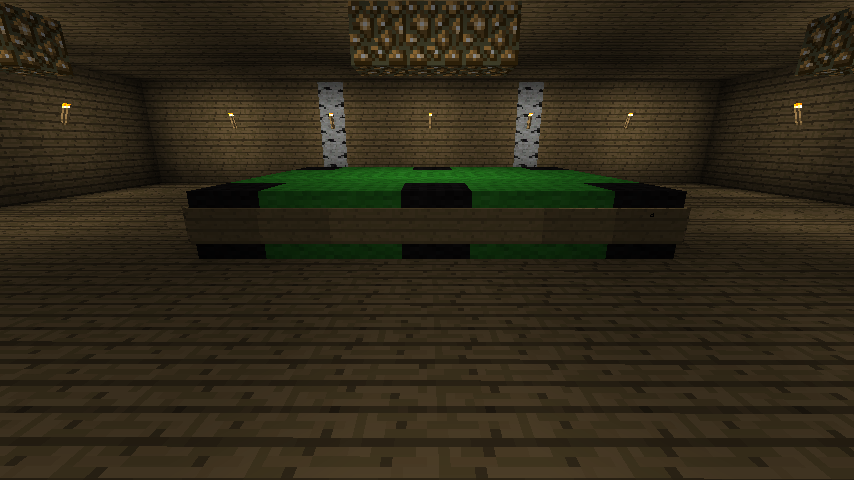
And finally, I built what I originally intended on being a "rec room", but it ended up just being a room with a makeshift pool table constructed out of cloth and signs.


So... now what?  I figure the floor needs a bathroom since there's a pool table.  The pool table is actually a bit close to the laundry room for my own liking, so I might end up moving the whole thing.  If I don't get any inspiration for anything else, I'll just fill the rest of the basement with bedrooms and extend the sleeping capacity beyond the current 13.  I really don't know what to fill the remaining space with.  The pool table does need some semblance of a bar nearby, but that's really simple and can be in the same room.

The rest of the stuff I have left to do is going around plopping beds down everywhere, and placing decorative items which will be incredibly texture pack-dependent.  The "home improvement" paintings from the Painterly Pack offer a range of nice things from liquor cabinets to drawers and even a grandfather clock, with extra paintings for the sides of it.  I do plan on using those at some point, but for now I've left them out.

Also, the bathrooms present another problem entirely.  How does one construct a decent looking bathroom in Minecraft?  As much as Notch wants all blocks to be 1 meter cubes, they're really, really not.  The scale is all messed up in Minecraft.  We really need a whole range of new blocks to facilitate making bathrooms.  End of story.

Sunday, May 22, 2011

Birch House Update

This time I remembered to turn smooth lighting on before taking screenshots.


More screenshots after the break.

Minecraft stuff

This post has two distinct subjects, both related to Minecraft.

Building Project

I'm constructing a massive beach house to be built on the multiplayer server I'm hosting at some point.  This thing is so massive that there's simply no way I would even bother to get the materials legitimately.  The total footprint is 65 blocks wide, 53 blocks deep, and not counting the ground layer that has blocks in it, 24 blocks tall at the peak of the roof.  I can try to describe it further through text, but fortunately I've already made some screenshots, so I'll just post those.


You can tell how massive it is here, given how far I had to back up to make the screenshot.  Also, I forgot to turn on smooth lighting, so the lighting on the stairs is a bit glitchy.  Hopefully Notch fixes that in 1.6, which he's previously stated to be a massive bugfix update, as well as enabling the Nether in multiplayer.

With a structure this size, lighting is a challenge.  Especially for the main hall, which is opened up to the floor above it and has a balcony.  Fortunately, my creative senses came alive and I built a chandelier to provide light.


Also, here's a view of the chandelier from up on the railing on the balcony.


The house is called the Birch House, primarily because I'm using the birch wood texture as a theme to accentuate things, but also because I can make a really bad pun about the house being on the beach.  The reason I made it so large is because I was trying to go with a roomy feel that would generate a casual and fun atmosphere among the structure's inhabitants and make it a great vacation destination.

Because I can, I'm going to talk a little about how I created this.  As I previously stated, it's so big that getting the materials to build it legitimately would take a prohibitively long amount of time and storage space.  I designed the exterior and floors in Minecraft Structure Planner.  I quickly discovered and came to not like some of the things it lacks, most notably such important things as stairs, doors, and torches.  I also quickly discovered that it would be terrible for doing the interior design, so I stopped at the exterior and just added the floors.


The next program I used was MCEdit.  It's a very powerful world editor with a rather steep learning curve.  Minecraft Structure Planner has its own format to save in, but it can export to the schematic format that MCEdit can load.  So I generated a world in Minecraft, thankfully got spawned on a large sandy beach (actually a desert biome bordering a large body of water), then saved, opened the world in MCEdit, and plunked down the house.


The next step was to build the interior, and to facilitate that, I used INVedit to put various materials and tools into my inventory.  The best way to build the interior was spawning into the world and walking around the structure.  Looking at it top-down in Minecraft Structure Planner just doesn't trigger the same creative impulse as actually walking around the shell of a structure in three dimensions.  I went in with a vague idea of what I wanted the top two floors to look like, and I think I've gotten pretty good results.  The structure is nowhere near done yet, as I still have to work out a couple rooms on the top floor where the bedrooms are (which will likely become bathrooms), figure out where to build the kitchen, dining room, entertainment center, etc., and then figure out what the hell I want to do with the basement.  The structure is truly massive, but once you add walls to the interior it feels a lot smaller.


Once I'm suitably satisfied with the interior, I'm going to use MCEdit once again to save the entire completed structure as a schematic file, so I can load up the server world and plop it down somewhere.  It needs a massive beach area just for the sand beneath it, and having the stairs dump you straight into the water would be lame, so I'll have to hunt around for a good spot to drop it.

Playing Around with Mods

For the past while now, I've been playing around with a few client mods for Minecraft.  I've been mostly steering away from the ones that massively change the game, add new monsters/animals, etc.  The ones I'm using for the most part just add graphical variety.  The first one I installed was actually Single Player Commands, though.  It's basically a massive infrastructure for cheating in single player, as it enables you to fly, become invulnerable, spawn creatures, give yourself items, and adds the server mod WorldEdit to single player, letting you change blocks and make giant structures with ease.  Along with that is WorldEditCUI, a client user interface that shows you your current selection area for WorldEdit, which is massively helpful.

The first graphical variety mod I added was FlowerCraft.  It adds six new colors of flowers, each craftable into its respective color of dye.  Rather than the vastly inferior MoreFlowers, it focuses on giving you easier access to the dyes that you have to craft from other dyes.  Anything that's obtainable directly elsewhere you still have to obtain from its original source.

The next one, which I've seen in Season 2 of ArchmageMelek's Let's Play, is the Coral Reef mod.  It adds, as one might infer, large underwater coral reefs.  Some species of plants that grow on the coral do different things.  The green ones will replenish your oxygen when you swim through them.  The brown ones are spiky and actually hurt you if you touch them.  The blue ones provide light, which lets you see the reef glowing when you look down at it from the surface, and especially so at night.  There are six different plants that grow on the reefs, as well as the reef blocks themselves.  All the plants are craftable into dyes, or can be replanted on coral underwater.  You can use this to pick up a few blue coral plants and redistribute them underwater so that you can see stuff.

The final one, by the same author as the Coral Reef mod, is the Scuba Gear mod.  I installed it because Minecraft desperately needs some method of increasing breathing time underwater.  It's fairly balanced, actually.  It adds three crafting recipies.  One for a scuba helmet, one for the tank, and one for an air compressor.  Crafted scuba tanks are empty by default, and must be filled in the air compressor, which operates similarly to a furnace except that it requires redstone dust for fuel.  One redstone dust will fill two tanks.  In order to use the tank, you have to have both it and the helmet equipped in your armor slots.  It's important to note that the tank will deplete even if you're not in the water, so long as you have the helmet equipped.  When a tank empties, you can refill it with the air compressor, and annoyingly enough you can't refill a partially depleted tank.

One massive oversight/bug that I've found with it is that when a tank runs out, you get zero warning before you start drowning.  Your air bar depletes immediately when the tank empties.  If you're quick, you can swap out for a second tank without taking any damage, but there's only a very tiny time window to do so.  Another, less annoying bug is that the air compressor doesn't face you when you place it.  It always faces east.

I was thinking of installing More Trees, by the same author as Coral Reef/Scuba Gear, but it requires a mod to modify the tool usage tables that causes incompatibilities with all other mods that don't use it.  Which is a shame, because I really wanted to explore and find apple trees, cherry blossom trees, and the elusive hollow sequoia tree.  All the trees added by it, with the exception of the sequoia, drop their own individual saplings that can be used to regrow that specific tree.  It would add a lot more graphical variety, but I can't have it breaking tool usage with other mods.  That won't do.  Which is a shame, because I totally wanted to build a tree house in a sequoia tree.  I mean, I can construct one with wood blocks and hacked in leaf blocks, but it just wouldn't be the same.

Monday, April 25, 2011

The Quesadila Adventure, Part 1

Two things.  First, this post isn't about food, and second, the misspelling of "quesadilla" in the title is intentional.  Now, on to the story.

Off and on for the past couple weeks, I've been browsing the Minecraft forums' World Seed section, where people share interesting worlds and the seed you need to enter to generate that world.  Sometimes there's a challenge associated with a specific seed, like the 404 challenge, but most of them just highlight interesting terrain features and dungeons.  Coordinates of anything interesting are often provided.  Just in case you didn't know, pressing F3 in Minecraft will reveal, among other things, your current coordinates.

The latest seed I've been trying out is "Quesadila".  Without the quotes.  The forum thread highlighted the fact that it has two open-air dungeons right next to each other that you spawn very close to.  Other posters quickly noticed the giant floating island, also nearby the spawners.  I thought that sounded cool, so I popped it in and generated it.

This post is mostly written in a first-person narrative style, I guess proving that I can indeed write like this.  Very few fourth wall breaks should happen, ideally.  There will be at the beginning, but then it will transition and only maybe break once.  I do explain things using actual in-game mechanics though, so there will be words like "despawn", "stacks of clay", and other things that make it feel more like an account of gameplay than an actual real story.  Yeah, I'm not really a writer.

Sunday, April 24, 2011

Minecraft 1.5

The long-awaited achievements/statistics/weather update has been out for a while now, and I've had plenty of time to play with it.  Chances are, if you play Minecraft, you've probably updated by now, but just in case you haven't (or you haven't yet gotten the game), I'll run over the major changes and my experiences with each.

Achievements are there to satiate the metagaming desire that gamers seem to have these days, but the way they work in Minecraft is different from other games.  Sure, one of the achievements is making a cake, but if you update and immediately make a cake, you won't get it.  There's a heirarchy you have to go through.

Upon spawning into a world for the first time after updating to 1.5, the game will flat out tell you how to get the first achievement: Open your inventory.  Doing this gets you the achievement, and lets you progress on and get the next one, which you get for chopping down a tree and picking up the wood blocks.  The next one is making a crafting table out of four planks, and then it branches out from there to crafting tools.  So basically, the achievements are the tutorial that's been notably absent from the game for so long.  All of the achievements are relatively easy to get, save for two of them.

The two that are harder to get than the others have special borders in the in-game achievements window: When Pigs Fly and On A Rail.  When Pigs Fly sounds simple in practice, but is tricky to get.  You'll need to ride a pig off a cliff, and have the pig die from fall damage.  So before you can even attempt it, you need to find a saddle in a dungeon.  Then you have to find a pig near the edge of a suitably tall cliff.  Toss the saddle on, ride, and discover that pigs are surprisingly reluctant to walk off cliffs while you're riding them.  This is where you either ragequit or punch the pig with your bare hands when it gets close to the edge, sending it off the cliff and getting you the achievement.

I racked my brain for a while trying to corral a pig while riding it, used all the blocks I had with me at the time, and couldn't get the pig I was riding to jump off the damn cliff until I punched it.  Don't use a weapon, you don't want the pig to meet its inevitable demise too soon.

On A Rail requires a large resource investment.  You need to ride a minecart for 1 kilometer.  This is where it becomes relevant that blocks in Minecraft are one meter in all dimensions.  So you just need enough iron for 1000 minecart tracks, and a minecart, right?  Wrong.  Riding that far is going to be difficult without a way of keeping the cart moving, and while you could just have it go downhill periodically to provide extra momentum, there's an easier way, though it needs more materials.  Another part of the update was Powered Rails, which when they receive redstone power, will boost a passing occupied minecart for 64 meters.  To craft those, you need gold in place of the iron, and redstone dust.  The hard part of the achievement is getting the materials and constructing it.  Then you can just hop in a minecart, start your journey, and if you set it up right, wait a few minutes and you'll have it.

I haven't attempted this one yet, but we've just undertaken a large-scale mass transportation project on my SMP server, so I'll probably build the branch of it that takes you to the once burning forest (which has an extensive cave system below it that I haven't fully explored yet) and grab the achievement then.  Oh yeah, wood no longer burns indefinitely.  It's a shame, because we had a huge burning forest on my SMP server that was started by lava touching a tree.  If you want eternal flames now, you'll need Netherrack.  I think this was a sad, sad 1.4 change, actually.

Of course, there's more to the update than just achievements.  I already mentioned Powered Rails, but there's also Detector Rails.  They essentially act as pressure plates triggered by a minecart moving over them.  They can be crafted in a manner similar to regular minecart tracks, but with a pressure plate in place of the stick, and some redstone.  Both Detector Rails and Powered Rails will provide redstone power to the next few minecart tracks, so you could conceivably have a Detector Rail followed by a Powered Rail and not even need to place redstone torches to power the rails.  One important aspect of Powered Rails I haven't mentioned is that if they don't have power, they will stop a minecart.  This makes them useful for building train stations, as you can easily hook up a button to power the track on demand and send yourself on to your next destination.

I made some Powered Rails pretty much immediately to enhance the minecart ride a friend of mine built.  Before this you just had to place a minecart near where the slope started and quickly right click to jump in it.  Now you can calmly set one down and hit a button to start the ride.  I haven't made any detector rails yet, but I probably will for the aforementioned mass transportation project.

The statistics do what you might expect them to: they keep track of various things you do in your worlds.  Everything from number of blocks mined with your diamond pick to the distance you've travelled by pig.  There's not much else I can really say about them, other than that there isn't a statistic for time spent looking at statistics.

Weather was something everyone's been waiting for on some level.  Ever since snowfall was removed from the game so long ago, mostly.  Now it can either snow or rain, depending on the biome you're in.  I haven't experienced snow yet, but I've seen some rain.  When it rains, it gets slightly darker, and there's the ambient rainfall sound.  Rain affects various things, such as putting out fires.  However, sometimes when it rains, there will be a thunderstorm.  When this happens, it gets even darker.  Dark enough for enemies to spawn during the day.  There will be periodic lightning strikes as well.  If a pig gets struck by lightning, it will turn into a zombie pigman.  I've also heard that if a creeper gets struck by lightning, its explosion gains more power and range.  I can infer that snowfall will put a snow layer onto blocks that can be shovelled to get snowballs, but I'm unsure of anything else it does.

Now, some other minor things.  Pigs that die by fire will now drop cooked pork chops.  This is handy for any hungry explorer that happens to have a flint and steel, or who might be short on coal/wood at the moment, or whatever the reason.

Ladders no longer work with a gap between each one like they used to.  I never liked that they worked like that to begin with, it just didn't look right.  Well, now it's finally fixed and people actually have to build proper ladders.  I did have to fix a ladder on my SMP server, and the ladder in my base in my main singleplayer world needs reworking now since you can't place ladders on glass...

This is technically from the 1.4 update, but I didn't really get a chance to play with it until now: There are also wolves.  They spawn naturally in packs, in certain biomes and rarely elsewhere.  If you give them bones, you can tame them, at which point they'll have a red collar.  A tamed wolf can be commanded to sit or stand by right clicking it.  They can be fed food to replenish their health, which is indicated by the angle of their tail, the lower it is, the lower that wolf's health is.  If you get a certain distance from your wolves, any that are standing will teleport to you.  Those that are sitting will stay where they are.  You may not want to bring them with you mining, as they won't avoid lava.  The best part: wolves will attack anything you hit.  Tag a skeleton and watch your loyal pack of wolves descend upon it.  Or genocide cows.  Sky, limit, etc.

Wolves are also pretty damn cute.  If you hold food, they'll turn their heads to one side.  If they jump in water and then get back on land, they'll shake themselves dry.  It's kind of fun just watching them run around while you just stand there.

It'd be nice if the achievements and statistics were uploaded to minecraft.net sometime soon, as I've already experienced a reset of mine due to a game crash.  Now that I've got When Pigs Fly, I really don't want to have to do it again, though I did build a nice corral on the server with an area you can push a pig into, block it in, and then ride it off the adjacent cliff for the achievement...

As for achievements I'd like to see, it'd be interesting if there was one for building a drowning trap at a dungeon, though I don't know how exactly the game would detect that.  How about building a library out of bookcase blocks?  Notch has already said he doesn't want achievements like "chop down 10,000 trees", but getting an achievement for making one bookcase block seems like not enough work is required.  Also, the Nether is completely absent from the achievements...  activating a Nether portal could be a decent achievement.  If you use your head it doesn't even require a diamond pick.

Anyway, the 1.5 update has been fun so far.  If you don't yet have Minecraft, get it now!

Sunday, February 27, 2011

Another One Of These Posts

It's time for another "random stuff" post.

I've had Failblog in my Google Reader for a while now, but various things they put up are starting to annoy me.  Most of it is fine, but a decent percentage of their images are either taken wildly out of context or look like they were set up by whoever took the picture.  The videos are fun when they're not people critically injuring themselves.  Some of them I skip just based on the name alone.  "Oh, that one's going to be someone almost breaking their neck, I'll pass."

So the channel retard in #magfest found my MAGFest 9 blog post and decided to inform the head chef about my rant on the food delays.  I don't fault the chefs, I'm sure there were reasons for the delays, but still... when you're forced to wait two hours past a scheduled mealtime for a meal with undercooked/raw potatoes, you begin to wonder what exactly happened.  As for the bread pudding, which I described as something along the lines of "failed pancakes", I honestly had forgotten what it was supposed to be and was just going off of the appearance.  It really did look like pancakes that had been shredded or scrambled.  I do like to rant about food, I dunno.  Maybe I got a little carried away, but I felt that if the meal took longer to prepare that there should be something more to it than a small styrofoam bowl with food in it and some condiments.  You can trivialize my argument any number of ways, but...

I think my computer is once again trying to commit suicide.  One of my case fans has stopped spinning, and every now and then my screen blanks briefly.  Even without actually running a game.

Minecraft's 1.3 update came out recently and added some more stuff, the better of which are a new save format that takes way less time to load, a smooth lighting engine that I turned off, craftable beds that you can sleep in at night to set the time to the morning, and more half-steps made from various different blocks like wood, cobblestone, and sandstone.  Also inevitable are the bugs.  There's one that happens unpredictably where the Minecraft window goes black and it stops responding.  I'm hoping that Notch will fix that in 1.3_02 or something.

Lately friends and I have been getting McGangbangs from McDonald's.  It's not an actual menu item, and most stores probably won't know it by name, but it's pretty simple.  Get a McDouble and a McChicken ($2 total, before tax).  Separate the patties of the McDouble (will be difficult, if it's made correctly there's cheese melted between them), and place the entire McChicken, including the bun, between the patties of the McDouble.  Then eat.

Now if you'll excuse me, all this talk about food has gotten me hungry.

Sunday, January 30, 2011

Everything I Know About Life, I Learned From Minecraft

Random observations about the world presented in Minecraft.  With a jump break here so the main page doesn't get clogged up.

Tuesday, January 18, 2011

MAGFest 9

This is the end-result of me omitting most of the 119 tweets I posted during MAGFest, summarized and expanded upon in case you'd rather read a blog post instead of 119 tweets that will only become more and more buried in my Twitter history.

Jump break here to keep the main blog page uncluttered.

Sunday, December 26, 2010

Stuff

So yeah, Christmas.  Honestly, I didn't get much, but I didn't ask for much either.  I got some stuff I asked for that was both for pleasure and practicality, as well as things I didn't ask for but will enjoy anyway, so I guess I can't complain.
  • Various gift cards in varying money amounts despite me not asking for gift cards (I'd much prefer cash or a prepaid debit card)
  • A prepaid debit card (haven't actually received yet, my mom got confused somehow with the options presented to her)
  • Commander Keen 5-pack on Steam (haven't received yet, mom said to bug her about it) (She actually looked at the prices on Steam and said "I'll just buy you your entire wishlist." Win.)
  • Scott Pilgrim volumes 1-6 (sadly not the movie also, I'd love to re-watch it alone, as opposed to in a room of possibly non-sober people that see no reason to not talk during the fucking movie)
  • New warm fuzzy slippers, since the soles of my old ones were getting all crusty
  • Fluxx 4.0 and Zombie Fluxx 1.1
Now that that list is out of the way... a completely different subject.  You'll find that I'll be doing this a lot in this post.

I've been remuxing the Exiled-Destiny release of Lucky Star I mentioned a while back.  So far, only to change the default languages.  I need to do some experimentation to get chapters in.  The first barrier is figuring out where to put the chapters on the first episode, and the second barrier is seeing how reusable those timecodes are.  Then it's "how easily can I get all that into mkvmerge".  If I'm going to release my remuxes as patches, I don't plan on releasing them until after chapters are in.  I'm using a slightly different tag for this one ([remuXT] instead of [subfiXT] since I'm not really editing the subtitles at all).

For whatever reason I started playing around with redstone in Minecraft.  After building all the basic gates (not, and, or), I set out on an epic quest to make an xor gate, which failed horribly.  Then I found a video on YouTube of someone showing how to make an xor gate and his solution was a lot simpler than the one I'd been failing to get working.  I then proceeded to try and wire up some double doors with an xor gate and switches on both sides so that whenever the switches were different the doors would be open (this is what an xor gate does, it outputs high if only one of its two inputs is high, and low if they're the same).

Because I'm a n00b or something I couldn't get it working on both switches, only one of them.  Space was somewhat of a concern since I was basically mining out a hole in the ground to hold the circuit, and I kept having to modify it so I could pass one redstone wire over another without them connecting.  After trying a ton of slightly different setups and never getting both switches working, I said "fuck it", picked up all my redstone, filled in the hole, and removed the switches and doors.  Maybe I need to get a demo of it working somewhere, but in my singleplayer world I lack the secure space to run redstone wherever I need it.

Having gotten Fluxx, a game which is completely awesome and easily extensible, I started brainstorming and ended up with a semi-complete Minecraft expansion for Zombie Fluxx.  It still needs a bit of tweaking, mostly in the "interactions with existing Zombie Fluxx rules, actions, keepers, and goals" area, but in terms of interactions with itself it's pretty solid.  I used Zombie Fluxx as a base so I wouldn't have to create my own Zombie cards.  I simply add Skeletons, Spiders, and Creepers.  Adding Creepers is fun because it introduces ambiguity: Zombie Fluxx has a card type called "Creeper" that generally prevents you from winning and has some condition for moving around from player to player, as well as maybe some other condition that negatively affects your gameplay.  So I have a Creeper that's a Creeper.  All of my card descriptions currently say "Creeper (card type)" whenever necessary, since I know of no better way of disambiguating them.

I finally watched Suzumiya Haruhi no Shoushitsu.  It relates pretty heavily to the Bamboo Leaf Rhapsody episode from the second season.  Overall it was a really good movie and seeing the settings and characters in 720p was definitely better than watching a.f.k.'s 704x396 xvid/mp3 avi encodes.  I think I'd gotten used to seeing the color bleed or something, because it's really a lot sharper encoded in h264.  The added resolution only contributes, as a 704x396 h264 would invariably look better than xvid.  I re-watched Bamboo Leaf Rhapsody after the movie just to remind myself of what happened in it, since I'd mostly forgotten, and I understood bits of the movie a bit better after that.

It was actually snowing most of the day on Christmas here.  It didn't really accumulate until night time.  Of course, I didn't go outside at all so it doesn't really matter.  As long as the weather is decent enough for me to get to MAGFest, I'm fine.

In the store a couple weeks ago I saw the José Olé Taquitos next to the TGI Friday's section and upon main ingredient comparison determined that they were about the same thing as TGI Friday's Chicken Quesadilla Rolls, except a lot cheaper.  I grabbed a box thinking "hey, if they taste good enough, might as well save some money!".  Long story short, I'm getting José Olé Taquitos from now on.

Ending this post here.

Sunday, December 5, 2010

Minecraft

It's about time I posted about the indie game that's taking the internet by storm: Minecraft!


Yeah, it really looks like that.